Payment form
1. Navigate to https://admin.mondido.com
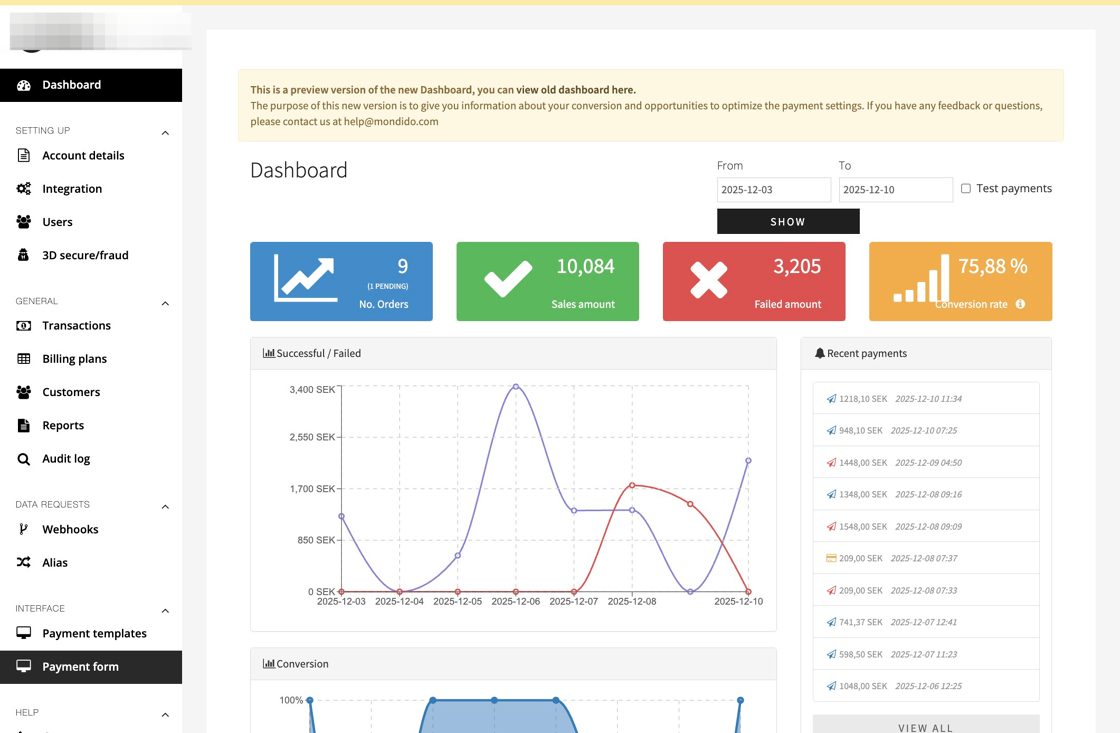
2. Click "Payment form"
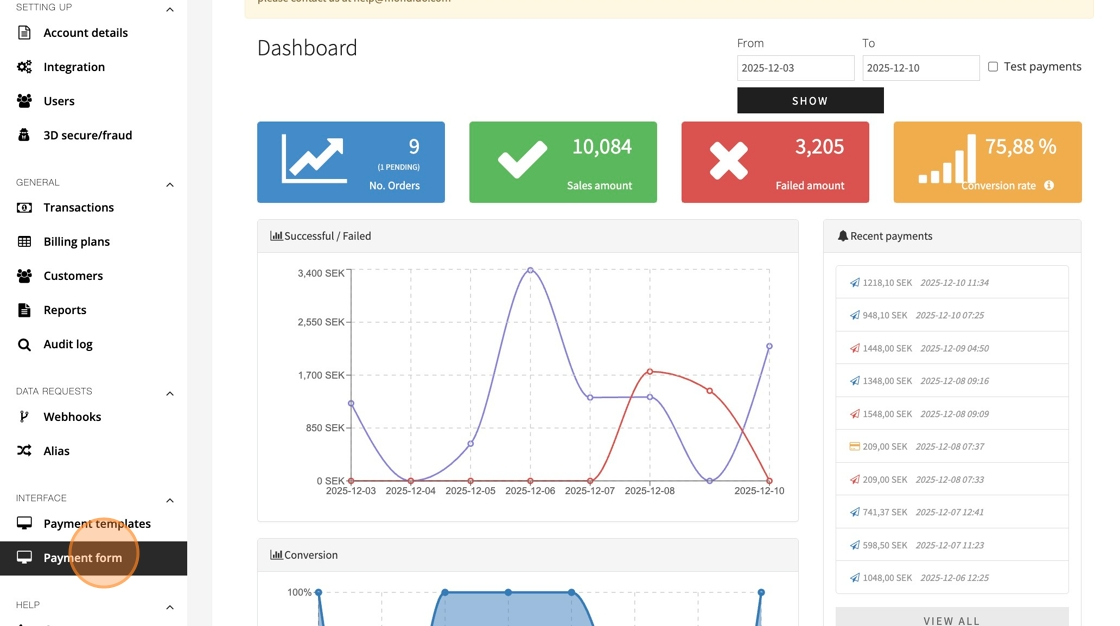
3. Adjust the "Amount" field, note it must be in a format with decimals (.00)
E.g 100 SEK is written 100.00
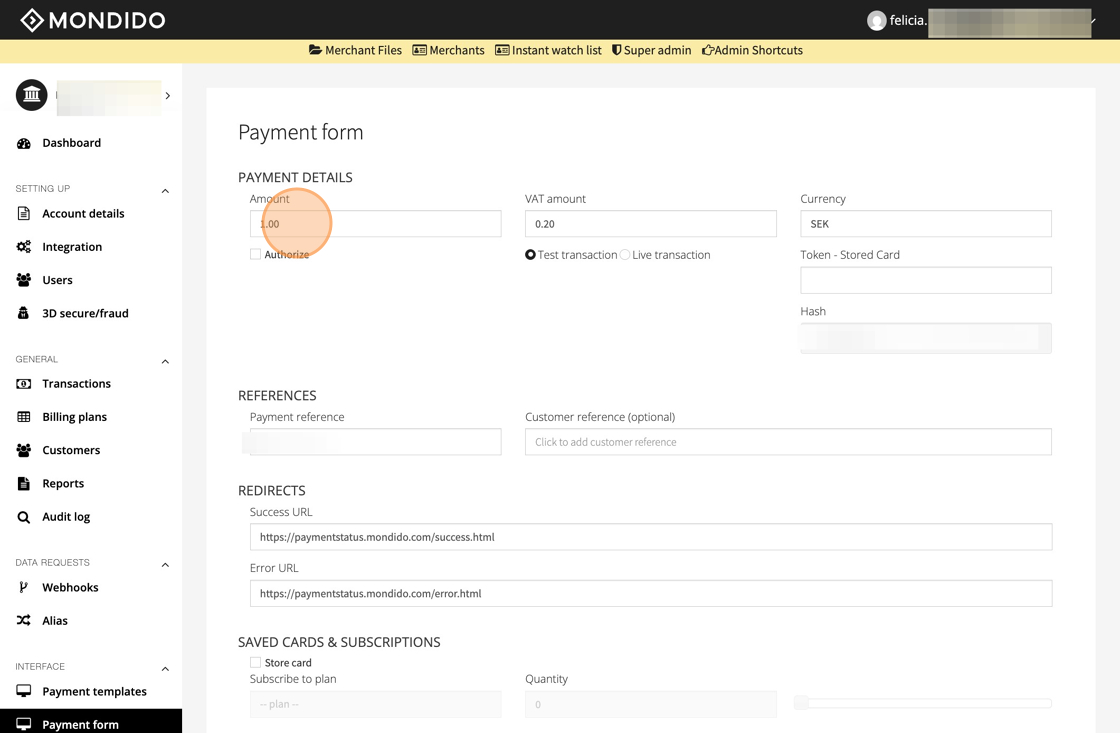
4. Click the "VAT amount" field and adjust to 0.00
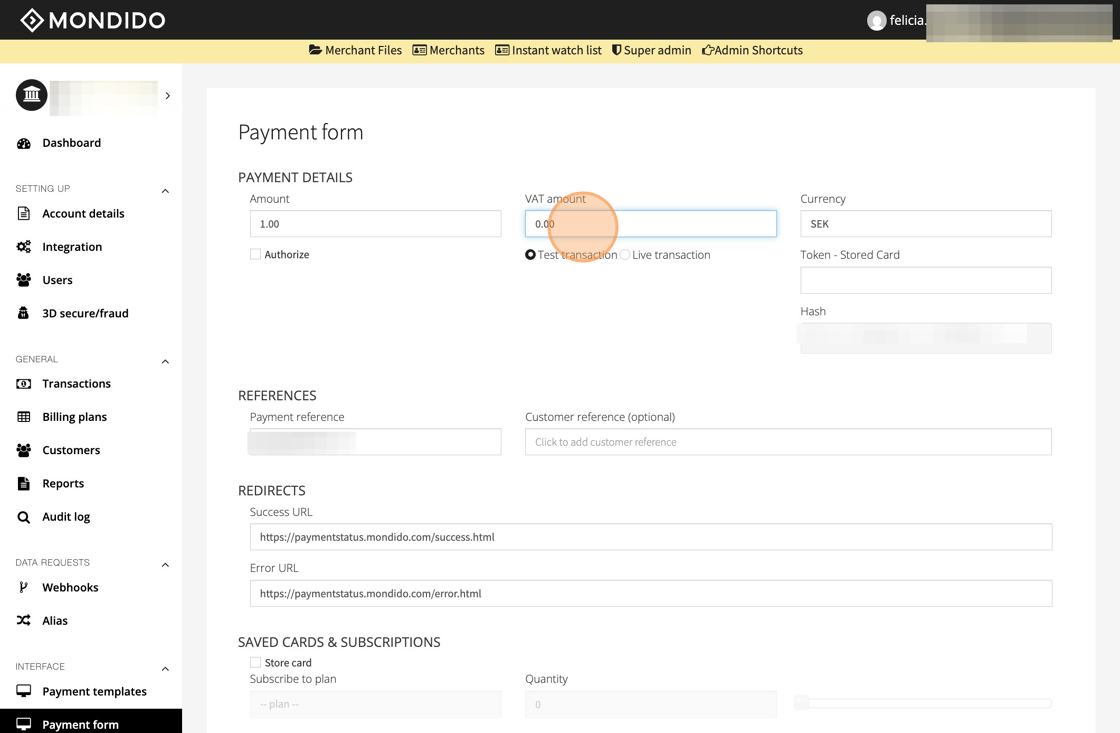
5. Click "Live transaction" or test depending on what you need the link for - if it is to get paid you choose "live transaction" while "test" can be choose to see the checkout, logo etc.
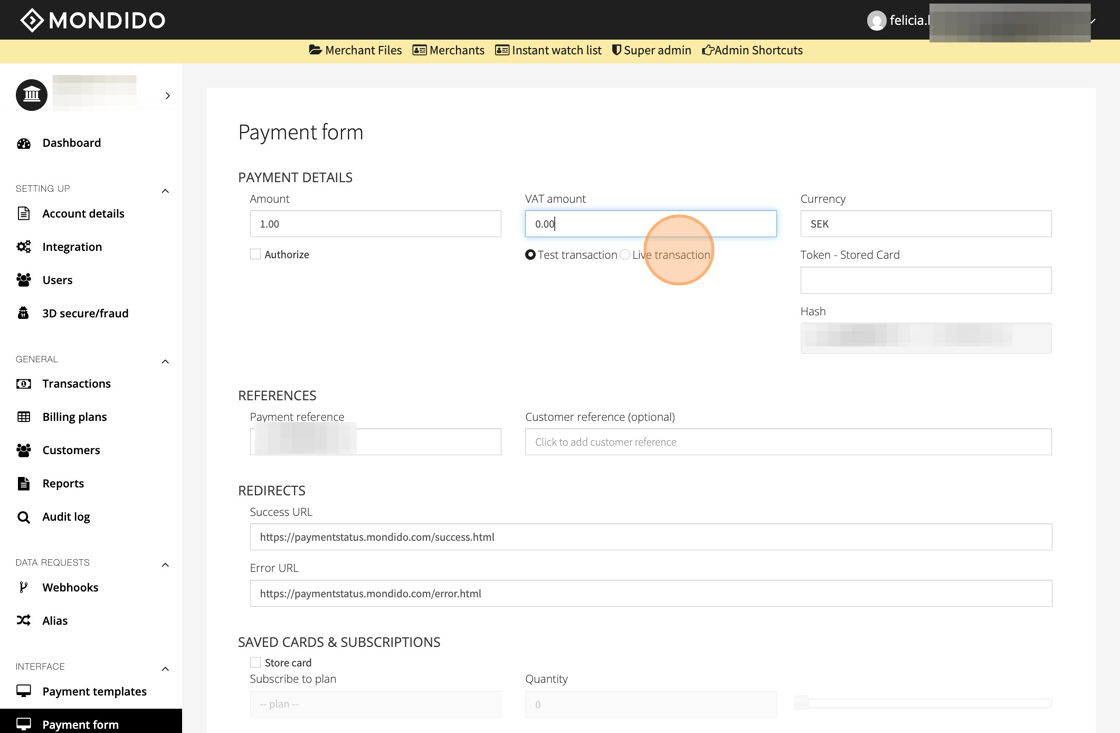
6. Change currency if needed
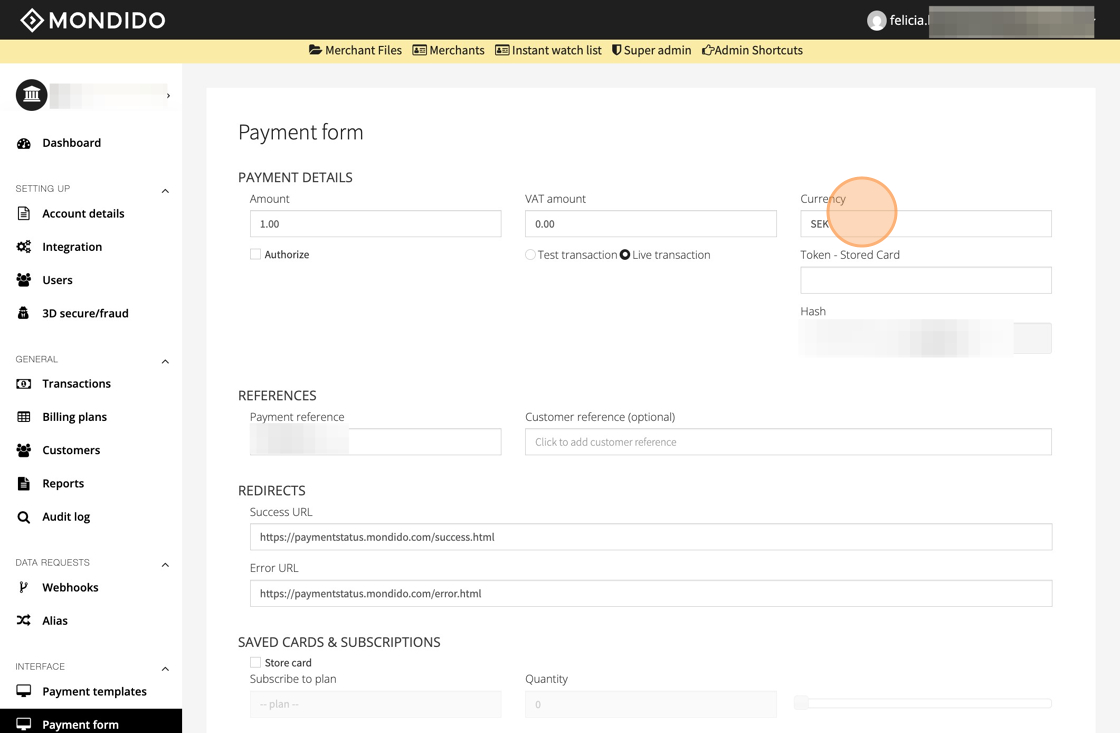
7. Create a payment link that you can send to a customer
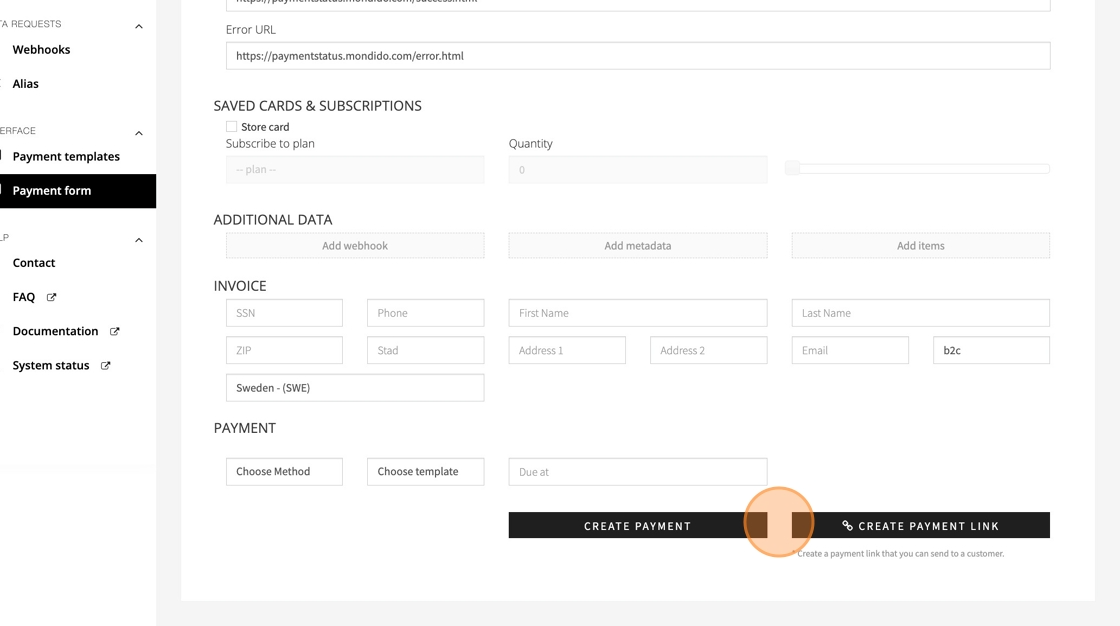
Create payment
8. Click "Create payment" to create a payment link instantly
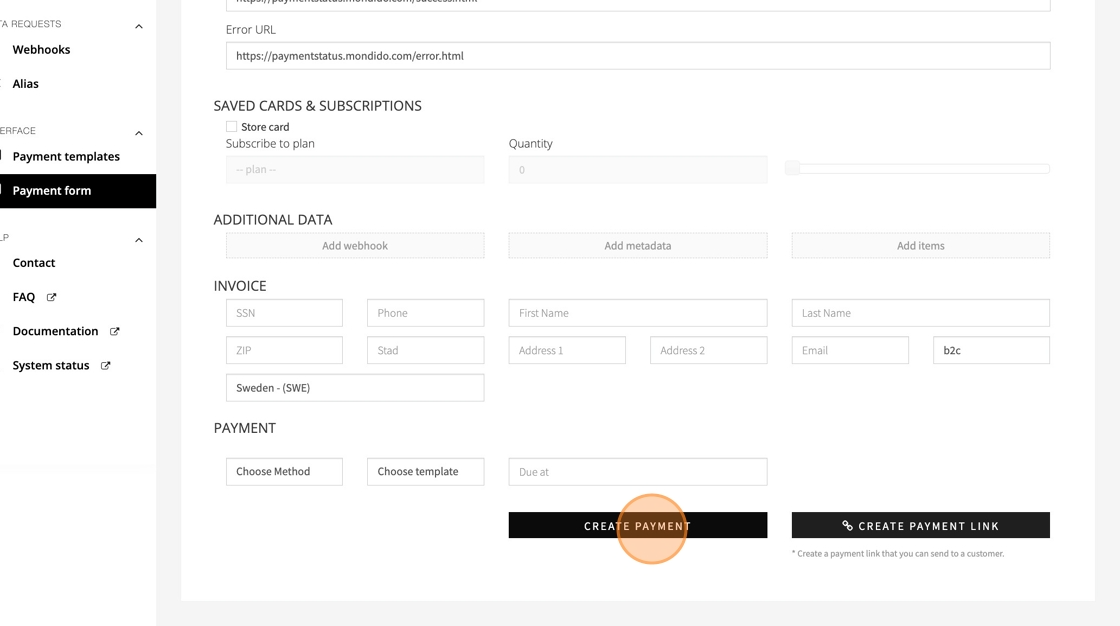
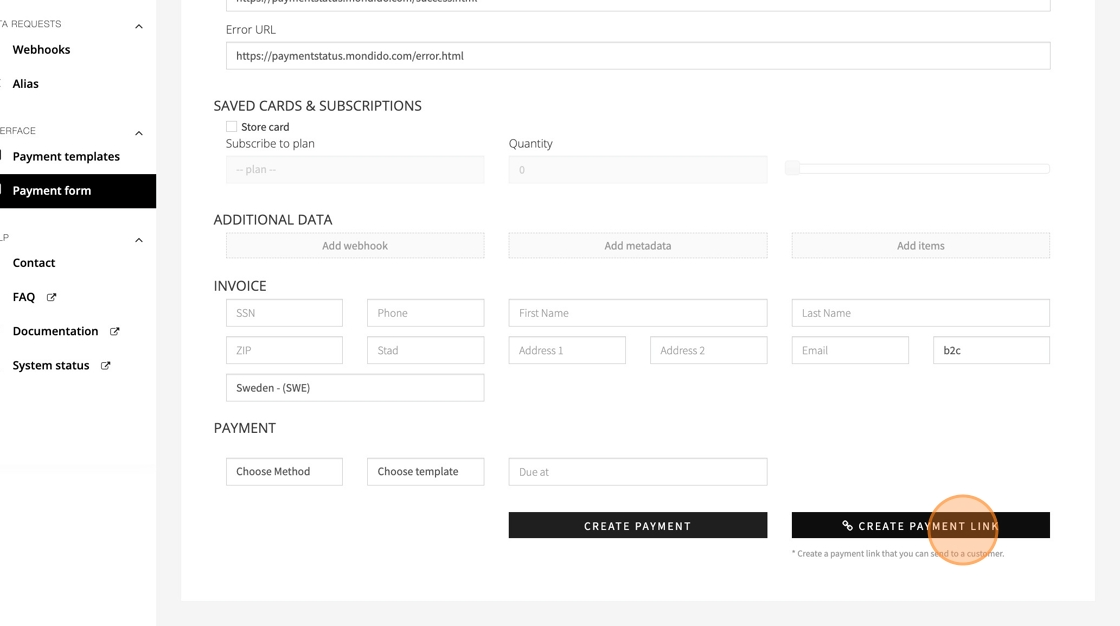
9. Click "Create payment link" to create a link you can send to a customer later.
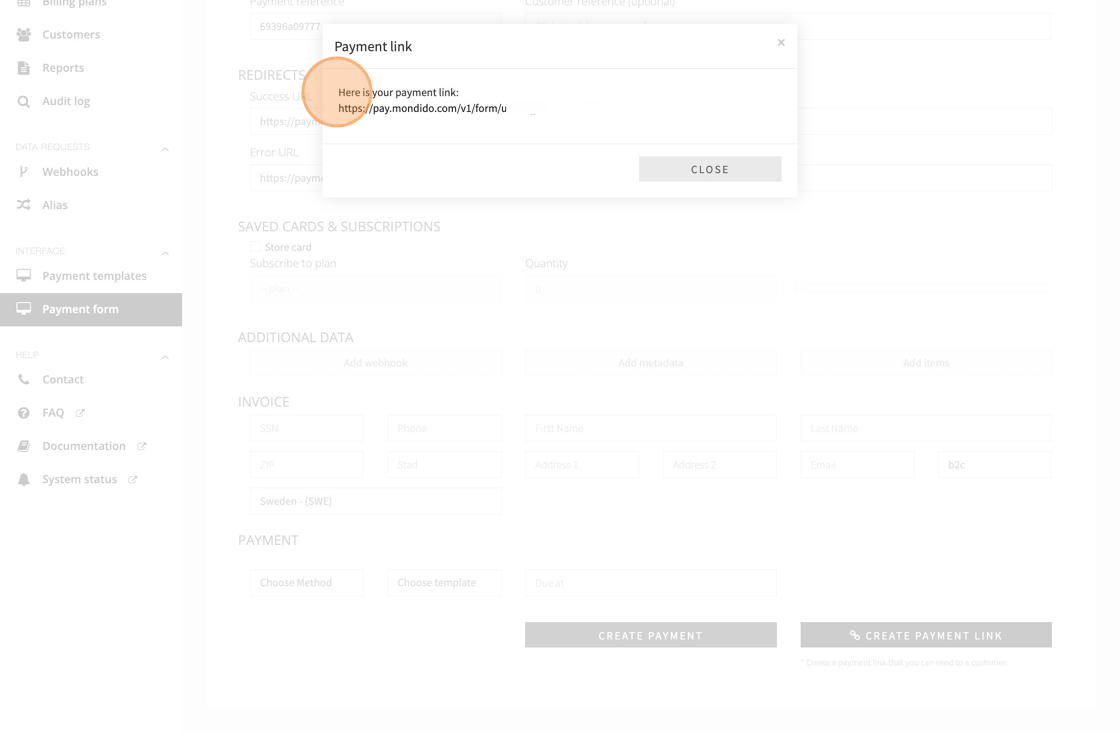
10. Cope the link under "Here is your payment link: ###".
If you have any questions, feel free to contact us at support@mondido.com or through the Mondido portal by clicking “Contact us”. We’re always happy to help.
Was this article helpful?
That’s Great!
Thank you for your feedback
Sorry! We couldn't be helpful
Thank you for your feedback
Feedback sent
We appreciate your effort and will try to fix the article