Requirements:
- Access to Mondido Admin
- Role edit/or super
- Use Chrome as your browser
Refund Process for Shopify stores
If you are using Shopify, we recommend performing the refund directly from Shopify as the first option. However, if for any reason this is not possible, you can process the refund through Mondido.
Note: Refunds made through Mondido are not synced with Shopify, so please ensure to make a note for accounting purposes.
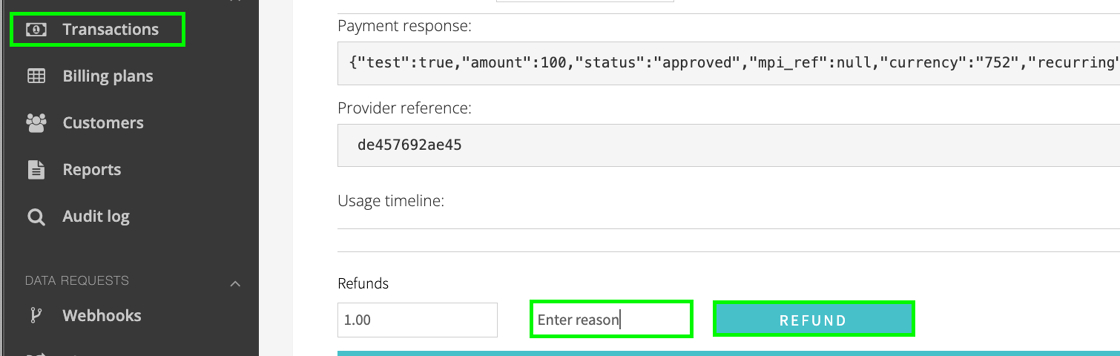
1. Login to Mondido and navigate to Transactions https://admin.mondido.com/en/transactions/
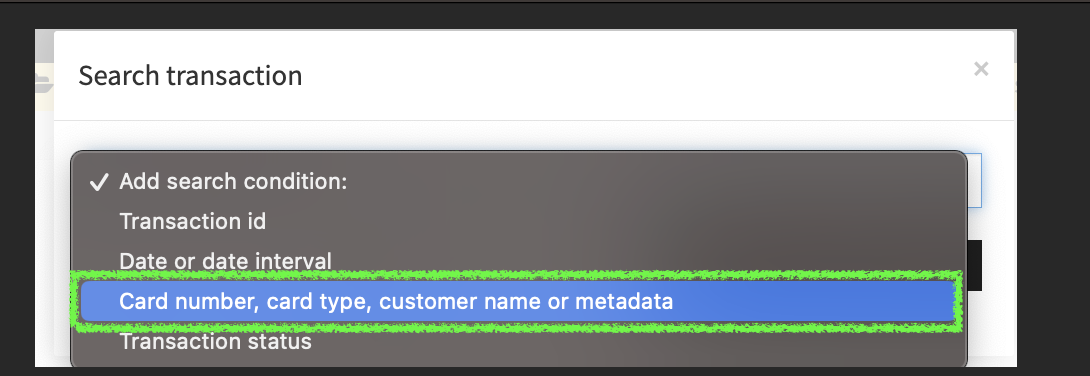
Add search condition
Our recommendation is to use "Card number, Card type, Name or medata" as its broud.
You can for example search for;
- Shopify Payment ID (not refund ID)
- First Name
- Last Name
- Email address
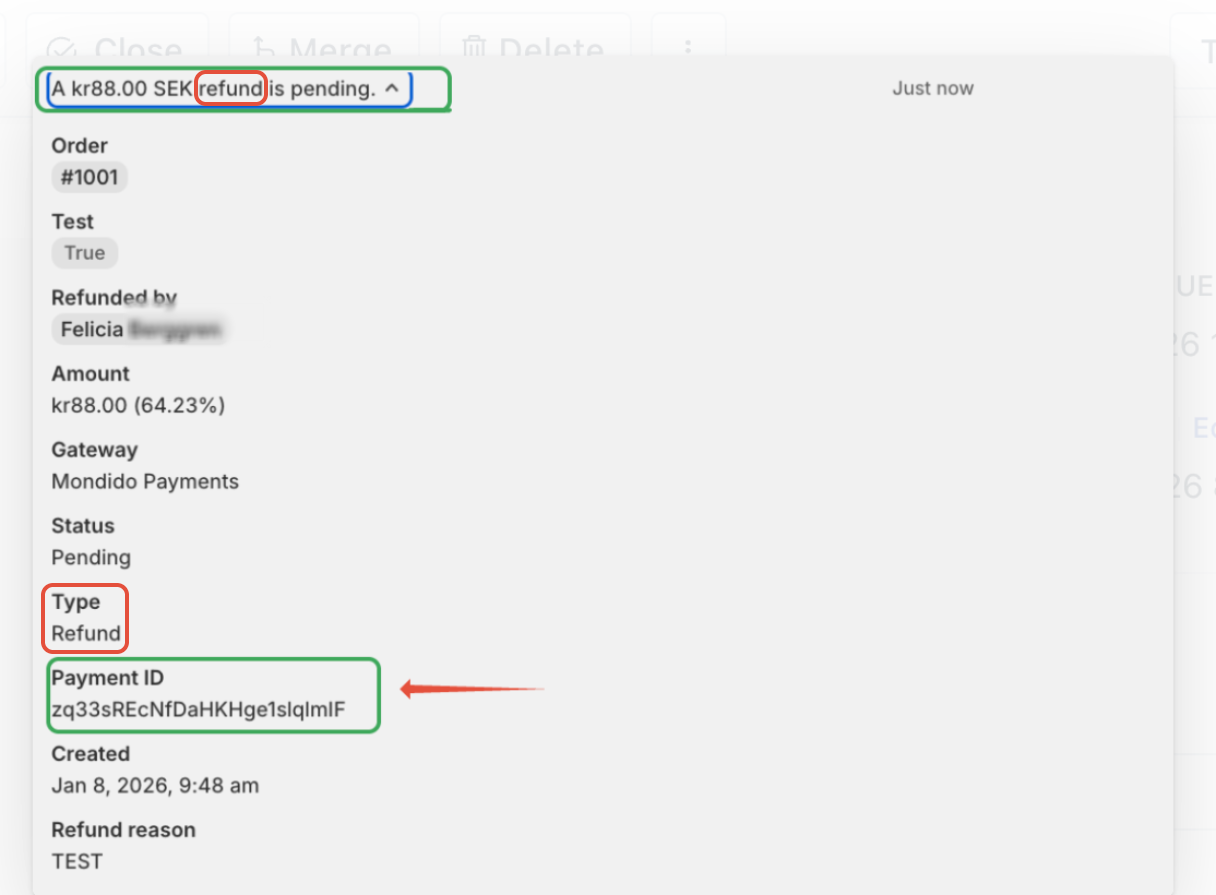
Shopify Payment ID
To search using the Shopify Payment ID, it needs to be from the original payment from your customer.
The headline in Shopify should be "payment was processed by Mondido Payment"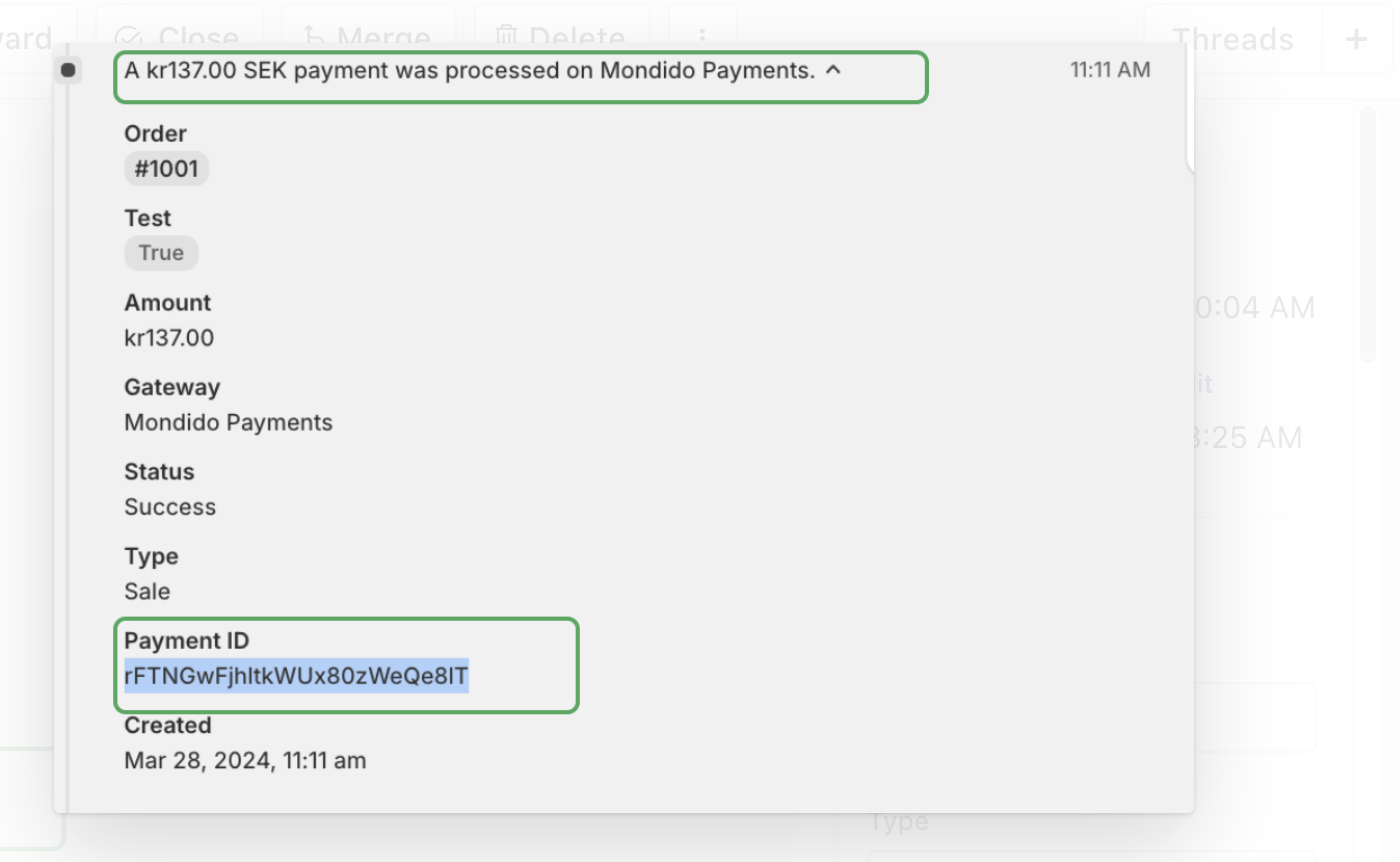
If it says "refund" - the paymewnt ID connected to it is not searchable in Mondido.
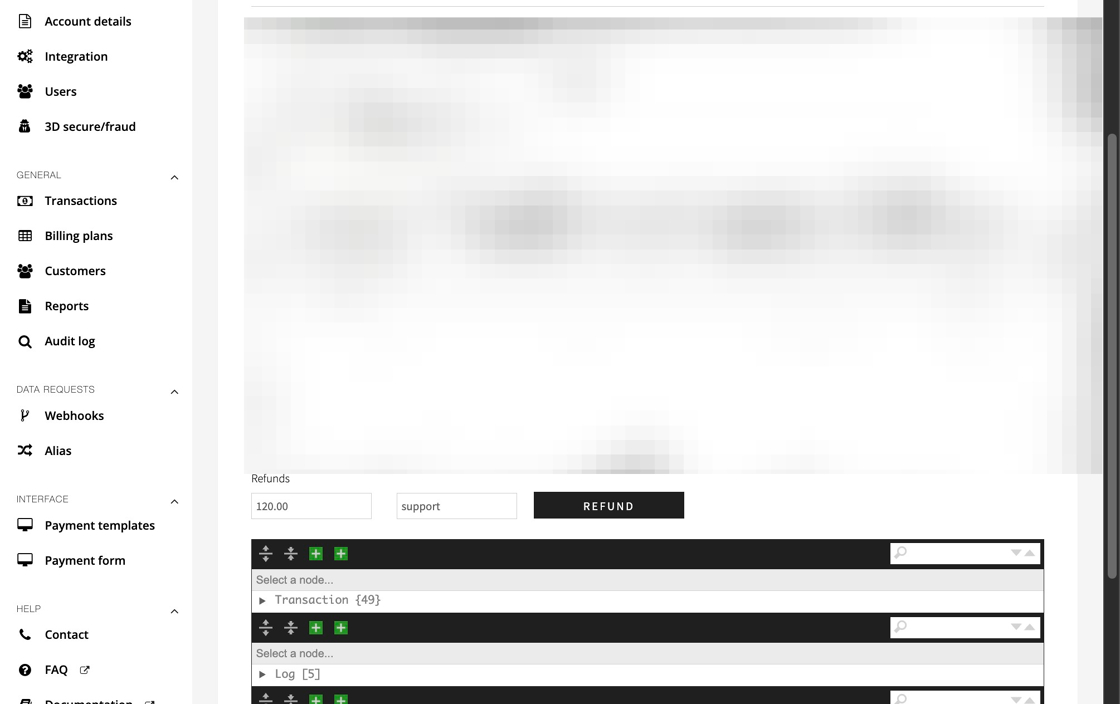
When you found the transaction, click the link to see the details: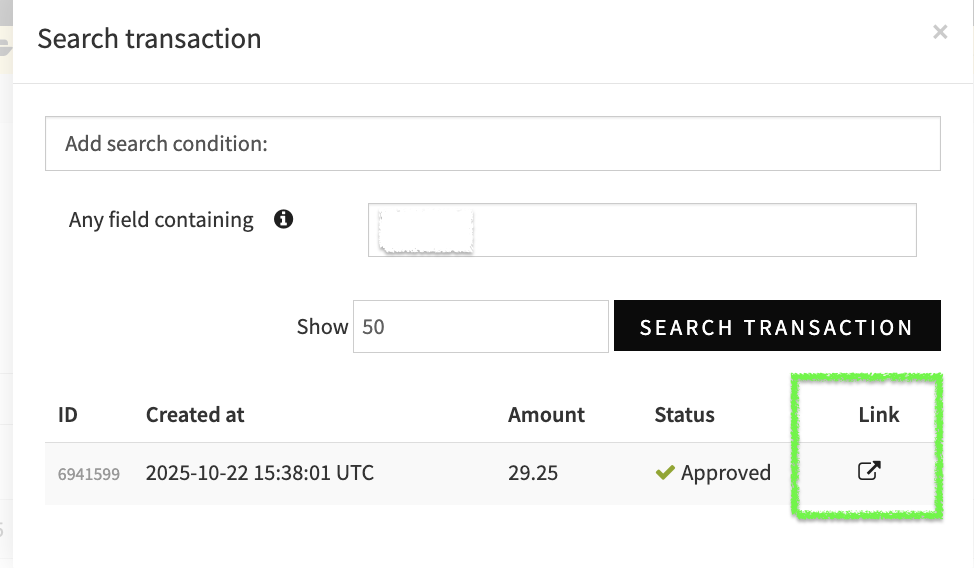
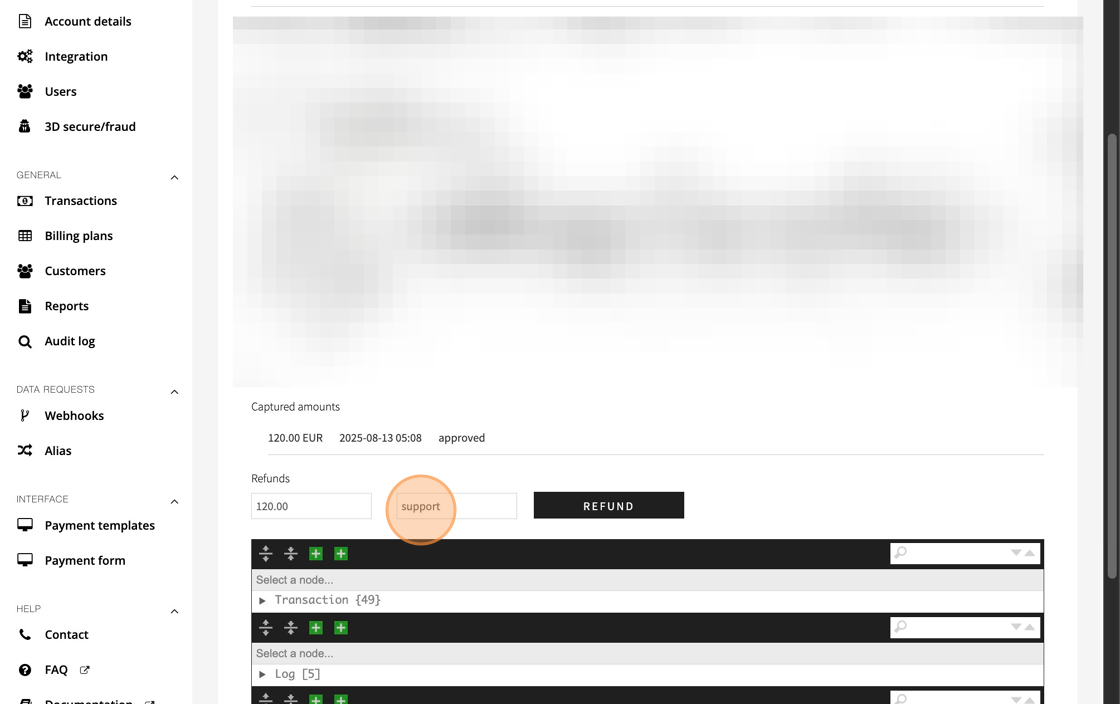
2. Add the amount you wish to refund and something in the "reason" field.
(Can be an internal ticket number or similar that will help if any questions comes up in the future).
3. Click "Refund"
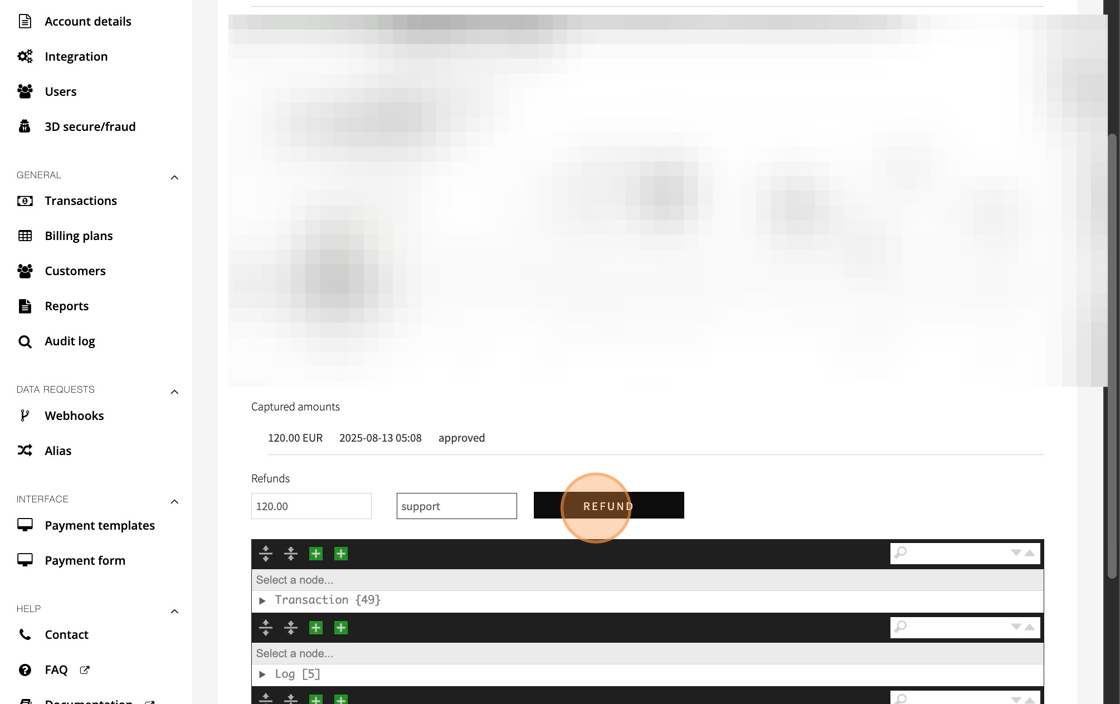
4. In the Pop up - press OK if the amount is correct
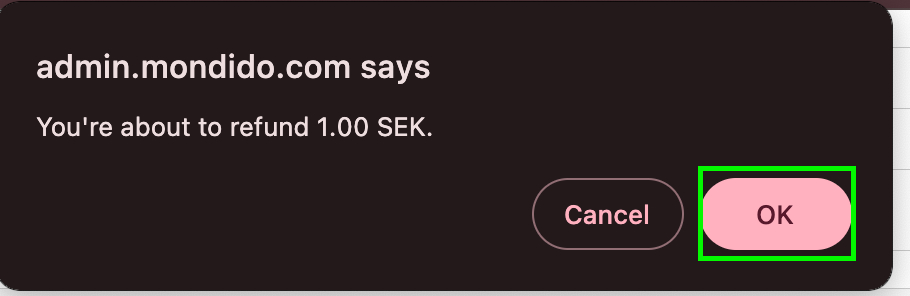
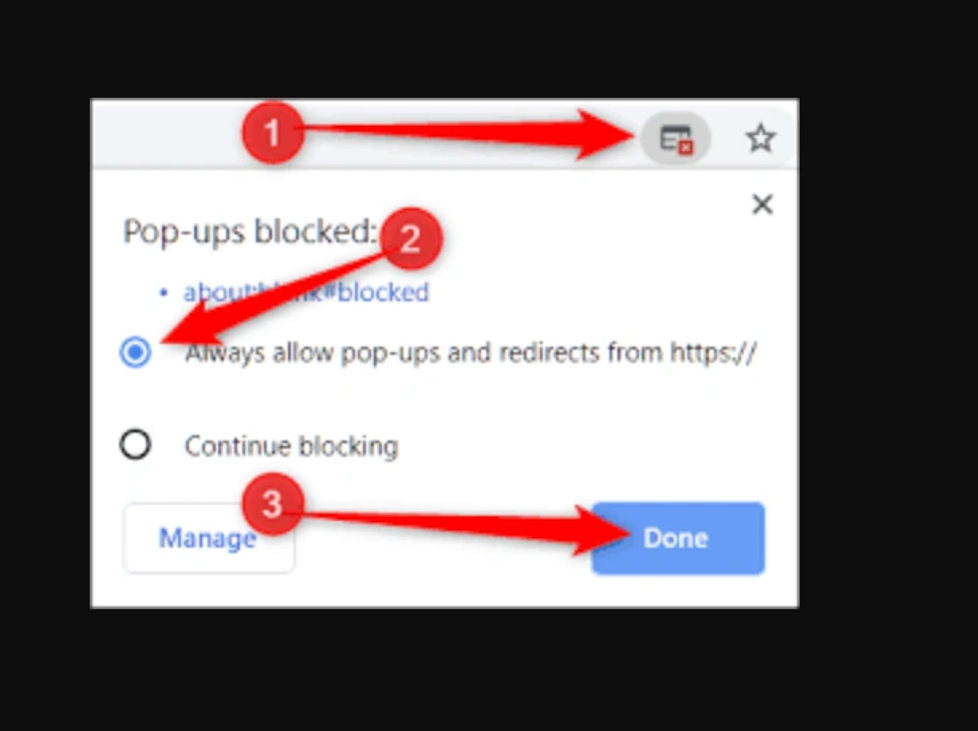
If you dont see the pop up:
Make sure you allow Pop-ups from Mondido- otherwise you cant get the confirmation pop-up and the refund will not go trough.
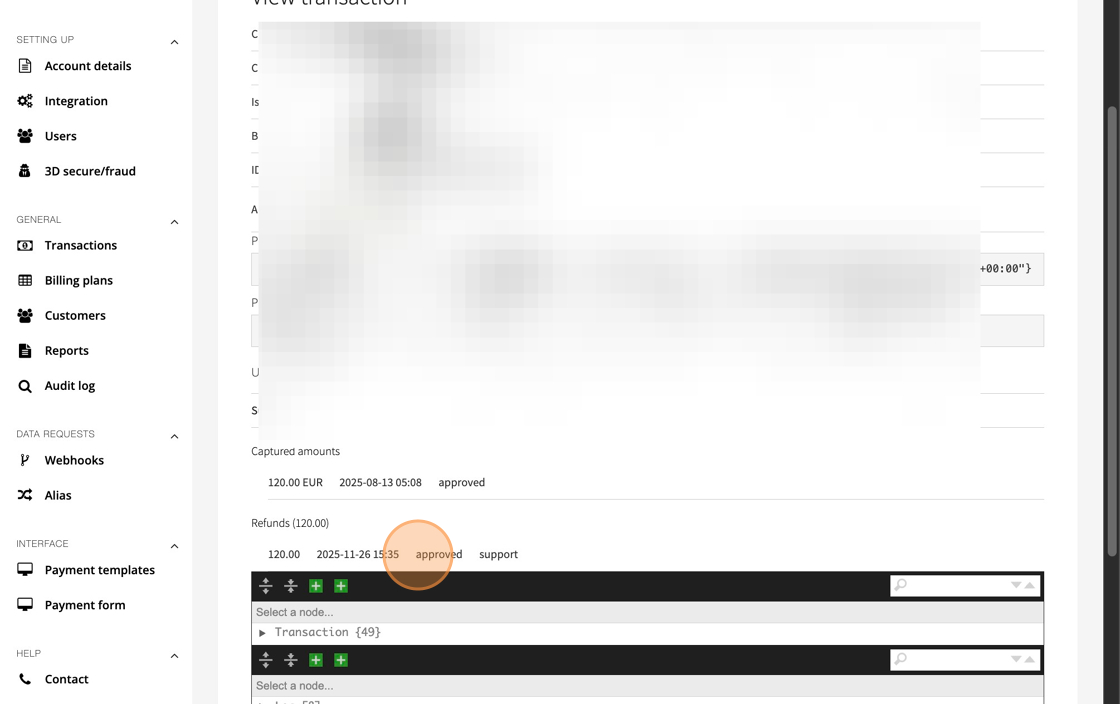
5. Relode the page, if it says Refunds- "approved" you have successfully refunded your customer.
Note that it varies between payment methods when the customer can see the refund.
Swish should be instantly refunded, while card can take a couple of days.
Refund Error:
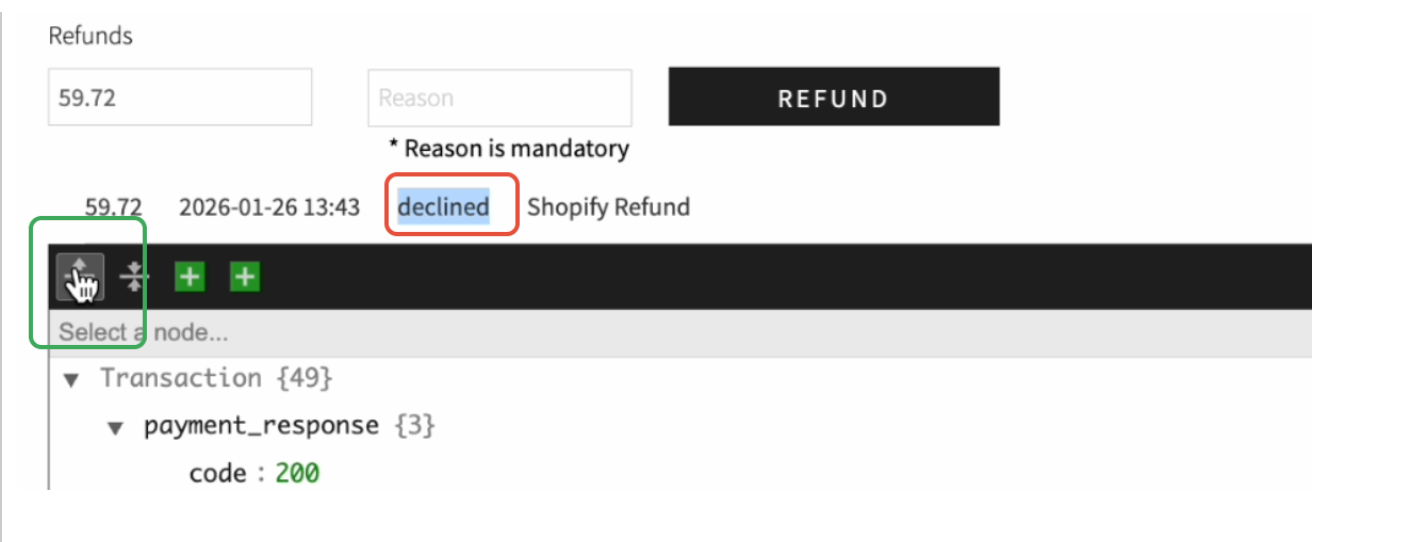
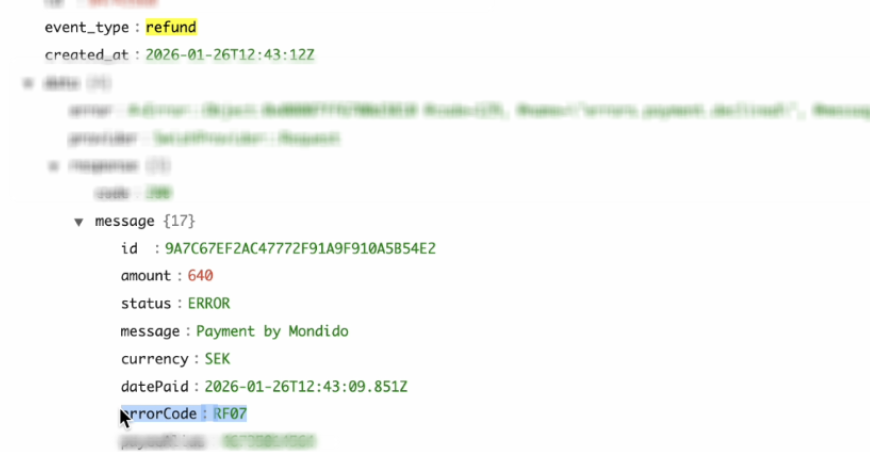
Sometimes refunds don't go trough - you can click on the little arrow to expand the transactionlogg to see details and errorcodes.
Most common one is RF07 for Swish, if you see this one after trying to refund in Mondido - you need to contact your bank.
If you have any questions, feel free to contact us at support@mondido.com or through the Mondido portal by clicking “Contact us”. We’re always happy to help.
Mondido Support


Was this article helpful?
That’s Great!
Thank you for your feedback
Sorry! We couldn't be helpful
Thank you for your feedback
Feedback sent
We appreciate your effort and will try to fix the article